



smart_crop=width:600,height:600/
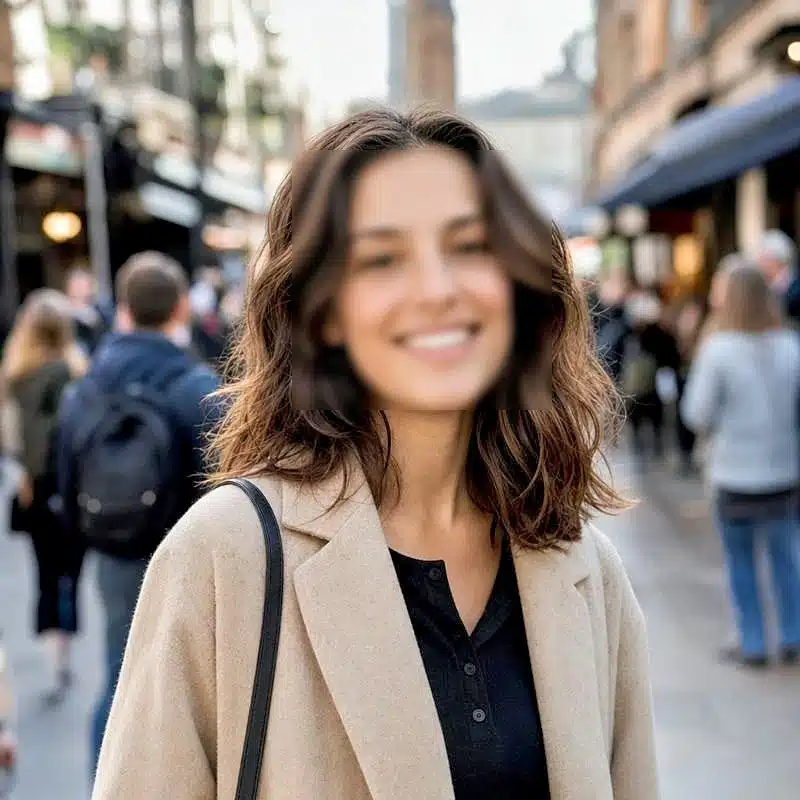
blur_faces=amount:5,blur:18/
enhance/auto_image/
oxf3OqBOSlVSfJiT9IO4
200 OK · image/webp · one request




Smart crop keeps the subject, whatever the aspect ratio
Center-cropping cuts the wrong thing when the subject sits off to one side. The smart_crop task applies content aware cropping, finding what matters and holding it in frame at any dimensions.
The whole smart crop API is one path segment, so the service that can auto crop image uploads at scale is already running.


https://cdn.filestackcontent.com/


[{ "id": 1, "x": 425, "y": 195,
"width": 225, "height": 328 }]
Face detection as an API call
The detect_faces task returns the coordinates of every face in an image as JSON. Feed those into your own logic, or hand off to crop_faces to crop straight to them, the fast path to a profile-picture pipeline.
The model and the GPUs are ours. It is a URL task like any other transform.
Blur faces automatically for privacy
Redact bystanders on upload, before the image is ever stored. This is the face blur API that standalone image services make you assemble yourself.
Use blur_faces to detect and blur every face in one pass, or pixelate_faces for a pixelated treatment. In a UGC workflow, the task can redact bystanders before the file reaches storage.


https://cdn.filestackcontent.com/
One task blurs every detected face across the full frame.
Enhance, upscale, and auto-format
Processing that ties straight into delivery.
Preset enhancement
An image enhancement API in one segment. enhance presets lift contrast, color, and clarity on user photos automatically.
Upscale small images
The upscale task is an upscale image API that raises resolution on low-res sources, so thumbnails and avatars hold up at larger sizes.
Next-gen formats
auto_image serves WebP or AVIF per the requesting browser, so delivery matches the client that asked for it.

"dog": 97, "pet": 97, "canine": 97,
"home decor": 98, "mammal": 97, "rug": 95
} } }
Auto-tagging on arrival
The tags task is an image tagging API that labels a picture by what it contains the moment it lands. Auto image tagging on arrival keeps every asset searchable by content, and the labels feed straight into your digital asset management library.
Chain them in one URL
The complete file layer on a single line. Smart-crop, blur faces, enhance, and deliver optimized, in order, non-destructively.
Use cases
Uniform listing tiles
Smart-crop seller photos of every shape into one clean tile size across the grid.
Privacy compliance
Auto-blur faces on upload so user-generated photos never store the faces of non-consenting bystanders.
Profile picture pipeline
Crop to the face and enhance in one URL for consistent, sharp avatars.
Frequently Asked Questions
What is smart cropping?
Smart cropping is content-aware cropping that keeps the important subject of an image in frame at any aspect ratio, instead of cutting from the center. Filestack applies it with the smart_crop URL task, so a single URL parameter reframes an image to any dimensions while preserving the subject.
How do I blur faces in photos automatically?
Add the blur_faces task to the transformation URL. Filestack detects faces in the uploaded image and blurs them automatically, so you can redact bystanders on upload before the image is stored. Use pixelate_faces for a pixelation effect instead of a blur.
Does Filestack have a face detection API?
Yes. The detect_faces task returns the coordinates of faces in an image, and crop_faces crops to them, useful for building avatar pipelines. Both run as URL tasks on any uploaded image with no model to host.
Can I chain image operations?
Yes. Every operation is a URL task, and tasks chain in a single URL. One request can smart-crop, blur faces, enhance, and deliver an optimized next-generation format, each step non-destructive and applied in order.